


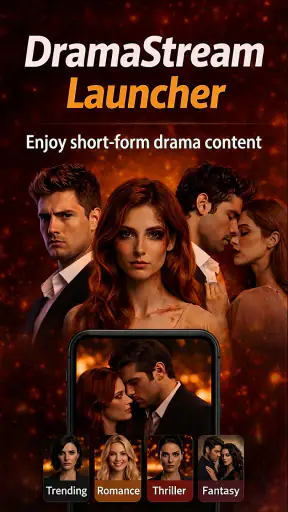
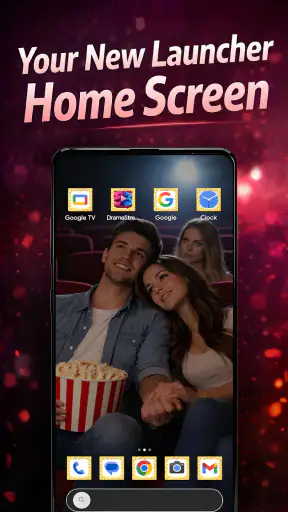

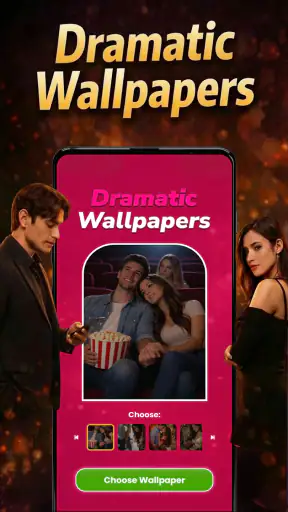
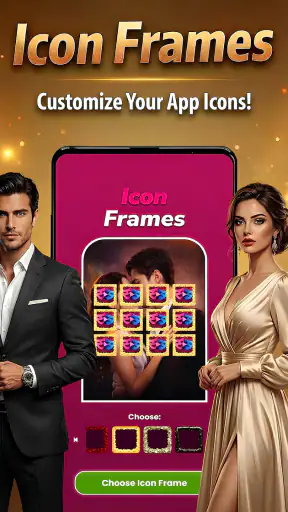
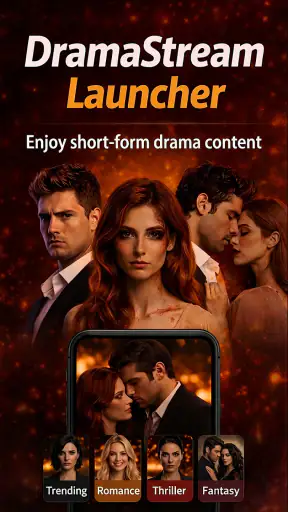
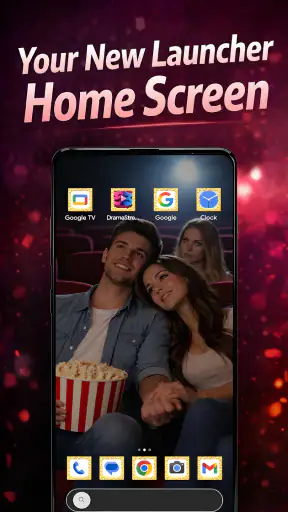

I approached DramaStream Launcher as a decision rather than a simple download: is it worth changing the way your phone opens, looks, and feels every day? This free personalization app from Offline Glee Games takes a drama-focused idea and turns it into a launcher experience, so its value depends less on one spectacular tool and more on whether you want your Home Screen to feel deliberately different from the standard Android layout.
That distinction matters. A launcher sits between you and nearly everything you do on a phone. Even a small change affects how quickly you reach messages, settings, entertainment, and the apps you use for work. I found the most useful way to judge this app was to look at three things: how much personality it adds, how much extra adjustment it asks from me, and whether that change improves daily use instead of merely looking interesting for a few minutes.
DramaStream Launcher is listed in the personalization category, carries a Teen content rating, and supports Android from version 8.0 onward. It is currently at version 1.0, which gives the experience a straightforward, early-stage character. The app has already attracted over five million installs and an average rating of 4.7 from around seventy-eight thousand ratings, so it clearly appeals to a substantial audience. I still would not treat popularity as a substitute for testing the workflow that matters to you.
How I judged the launcher in everyday use
The first question is whether you want a themed phone or a faster phone
Traditional launchers usually sell themselves on control: arranging icons, changing grids, managing widgets, or replacing a manufacturer’s visual style. DramaStream Launcher comes from a different direction. Its central appeal is the feeling of entering a drama-inspired space whenever you return Home. That makes it a more emotional choice than a purely practical utility.
I would choose it if my phone felt visually dull and I wanted the Home Screen to express a specific mood. I would be more cautious if my priority were the fewest possible taps, a highly technical layout, or a carefully tuned productivity system. The app can make a phone feel more personal, but personalization is not automatically the same as efficiency.
My decision criteria also included how easy it is to live with after the novelty fades. A launcher is successful when I stop thinking about it while using it. If I have to fight the arrangement every time I open an app, the theme becomes a distraction. If the visual treatment helps me recognize where I am and makes returning Home enjoyable, it earns its place.
A realistic morning test
Imagine a normal morning: I unlock the phone, check a message, open a calendar or browser, then return Home to start music or a video. This sequence is more revealing than browsing through customization screens. DramaStream Launcher makes sense for someone who wants those repeated moments to carry a recognizable entertainment atmosphere rather than looking like a blank grid of utility icons.
The trade-off is that a themed launcher can encourage me to explore the interface instead of completing the task. That is not necessarily bad; it is part of the product’s character. However, anyone who depends on a very restrained Home Screen should decide whether the drama styling feels motivating or visually busy. The right answer depends on your tolerance for a stronger identity on a surface you see dozens of times a day.
What the app’s positioning tells me
The name and store summary point clearly toward drama and a distinctive launcher experience. I would therefore install it for atmosphere first, not because I expect it to replace every advanced launcher tool. That expectation keeps the review fair. It is best understood as a personalization layer with a theme-led personality, not as a promise that every Android habit will become faster.
That focus is also its strongest advantage. Many alternatives in this category begin with technical flexibility and leave the user to build a look from scratch. Here, the starting point is more expressive. For someone who wants a phone that feels connected to drama content and does not want to spend a long time designing every visual detail, that direction can be more satisfying than an empty customization toolbox.
Where the experience wins
The biggest win is immediacy. I do not need to begin with a completely neutral screen and invent a personality for it. DramaStream Launcher gives the Home Screen a clear identity from the moment I adopt it. That can be especially appealing on a shared household device, a secondary phone, or a personal handset that has become visually repetitive after years of standard icons.
It also wins as a conversation starter. A conventional launcher often disappears into the background, while a drama-oriented design is meant to be noticed. If I enjoy changing the mood of my device with the same enthusiasm that I change a wallpaper, this app feels more purposeful than a basic icon rearrangement.
Its real strength is the combination of low cost and a strong visual point of view. Because it is free, the decision is mainly about comfort and taste rather than an upfront purchase. That lowers the barrier for experimenting, especially if I am curious about a launcher but do not want to commit money before knowing whether the style fits my routine.
Useful ways to make the change less disruptive
My first practical tip is to treat the switch as a trial, not a permanent makeover. Before moving every shortcut, I would note the handful of apps I open most often and make sure they remain easy to reach. A launcher can feel impressive during setup but frustrating the next day if essential tools are buried behind a look that was designed for browsing rather than speed.
My second tip is to use the Home Screen as a filter. Keep only the apps you genuinely want to see there and leave occasional tools in the app list. This helps the drama-focused presentation remain intentional instead of turning into a crowded collage. The approach is particularly useful for people who want a themed phone without losing the ability to find practical apps quickly.
A third insight is to judge the app at different times of day. In bright daylight, a visual treatment may feel clear and energetic; late at night, the same strong design may feel more demanding. I would also test it while distracted, because the best launcher is not the one that looks perfect during setup. It is the one I can navigate when I am carrying groceries, rushing out the door, or responding to a message between tasks.
Why the developer and release stage matter
Offline Glee Games is the developer behind the app, and the current version is 1.0. That combination makes me view the product as a focused first release rather than a mature platform with a long history of refinements. The advantage is clarity: the app knows what kind of experience it wants to provide. The caution is that early versions can feel less rounded for users who expect extensive controls and years of polish.
I would not let the version number alone decide the download, but I would keep my expectations realistic. People who enjoy trying distinctive personalization concepts may appreciate being close to the app’s original direction. People who need a launcher to behave like a finely engineered work tool may prefer an established alternative whose main selling point is deep configuration.
Where another launcher may fit better
Someone who wants precise control over icon spacing, gesture behavior, folders, widgets, and multiple Home Screen arrangements should compare DramaStream Launcher with the broader launcher category before switching. I am not saying those alternatives are automatically better; they simply serve a different purpose. Their advantage is usually flexibility, while this app’s appeal is the themed experience.
A minimalist launcher may also be a better choice for a person trying to reduce visual stimulation or phone use. If the goal is to make the device feel quiet, a drama-centered Home Screen could work against that intention. In the same way, a productivity-oriented launcher may suit someone who wants work priorities immediately visible and entertainment pushed aside.
There is also a case for staying with the phone’s default launcher. If the current setup already gives you fast access to your apps and you rarely care about visual customization, changing launchers adds a layer of adjustment without solving a real problem. DramaStream Launcher is most convincing when the default experience feels lifeless or when you actively want the phone to reflect an interest in drama.
Questions I would answer before installing
Will it work on an older Android phone? The stated minimum is Android 8.0, so devices running that version or newer meet the listed operating-system requirement. That does not tell me how every manufacturer’s interface will feel alongside it, so I would still test the basic Home Screen flow before reorganizing the whole phone.
Does it cost anything to try? The app is free. That makes a short trial sensible: install it, use it during ordinary routines, and decide based on whether the new Home Screen helps or interrupts you. Free does not remove the cost of switching in time and habit, so I would avoid judging it only by the absence of a purchase price.
Is it suitable for everyone? The Teen content rating means I would not present it as a universal children’s personalization choice. Families should consider that rating alongside the age and interests of the person using the phone. For teenagers and adults who enjoy drama-themed presentation, the positioning is much more natural.
Can it replace a specialist productivity launcher? I would not choose it on that assumption. Its identity is centered on personalization and drama, so a specialist tool may be preferable if your main goal is task management, distraction reduction, or highly exact layout control. DramaStream Launcher can still be a good fit for a personal phone where mood and visual identity matter as much as raw efficiency.
Will I need to relearn everything? Any launcher change creates some adjustment, even when the basic Android actions remain familiar. My advice is to change one habit at a time: first locate your everyday apps, then decide which shortcuts deserve the Home Screen, and only afterward spend time refining the appearance. This order prevents the visual appeal from hiding a frustrating layout.
The cost of switching is mostly habit
Because the app is free, the main cost is not financial. It is the effort of deciding whether the new arrangement is worth keeping, remembering where familiar apps moved, and possibly returning to the previous launcher if the experiment does not work. That is why I would take a screenshot of my current layout before switching. It gives me a simple reference point and makes reversing the decision less stressful.
I would also avoid making the change before an important trip, work deadline, or busy week. A launcher is part of muscle memory, and even a pleasant redesign can slow me down briefly. Testing it on a quieter day lets me separate temporary unfamiliarity from a genuine problem with the interface.
The good news is that the app’s free status makes this a low-risk experiment for most compatible users. If the drama-focused style feels right, the change can refresh a tired phone. If it does not, the lesson is still useful: perhaps what I wanted was a cleaner layout, fewer notifications, or a productivity tool rather than a themed launcher.
My recommendation for different kinds of users
I recommend DramaStream Launcher to Android users who want their Home Screen to feel expressive, enjoy drama-related aesthetics, and are comfortable giving up some of the neutrality of a standard launcher. It is particularly appealing if you have grown bored with the manufacturer’s default design and want a free way to make the phone feel more like your own.
I would recommend it less strongly to power users who measure a launcher by advanced controls, to minimalists who want the phone to fade into the background, and to people whose main concern is rapid access to work tools. Those users may be happier with a launcher designed around control, simplicity, or productivity rather than entertainment mood.
The strong average rating from around seventy-eight thousand ratings and the reach of over five million installs suggest that the concept resonates widely, but my final judgment remains personal: the app succeeds when I want a recognizable drama atmosphere every time I return Home. It is not trying to be a universal answer to every launcher need, and that is fine.
For me, the sensible approach is to install it as a deliberate trial, keep the first layout simple, and test it during real routines instead of admiring it only during setup. If the new presentation makes the phone more enjoyable without slowing down basic tasks, it has earned a place on the device. If the style gets in the way, a quieter or more configurable alternative will be the better choice. Choose it for personality first, and only keep it if that personality survives everyday use.


